GeoXMate Assistant
Ask your project in plain words
The GeoXMate Assistant answers questions about how to use GeoXMate and about the data in your own project, with the tables and charts behind each answer. It runs on your computer, so no internet connection is needed and nothing leaves the machine.
Ask
Questions in, tables and charts out
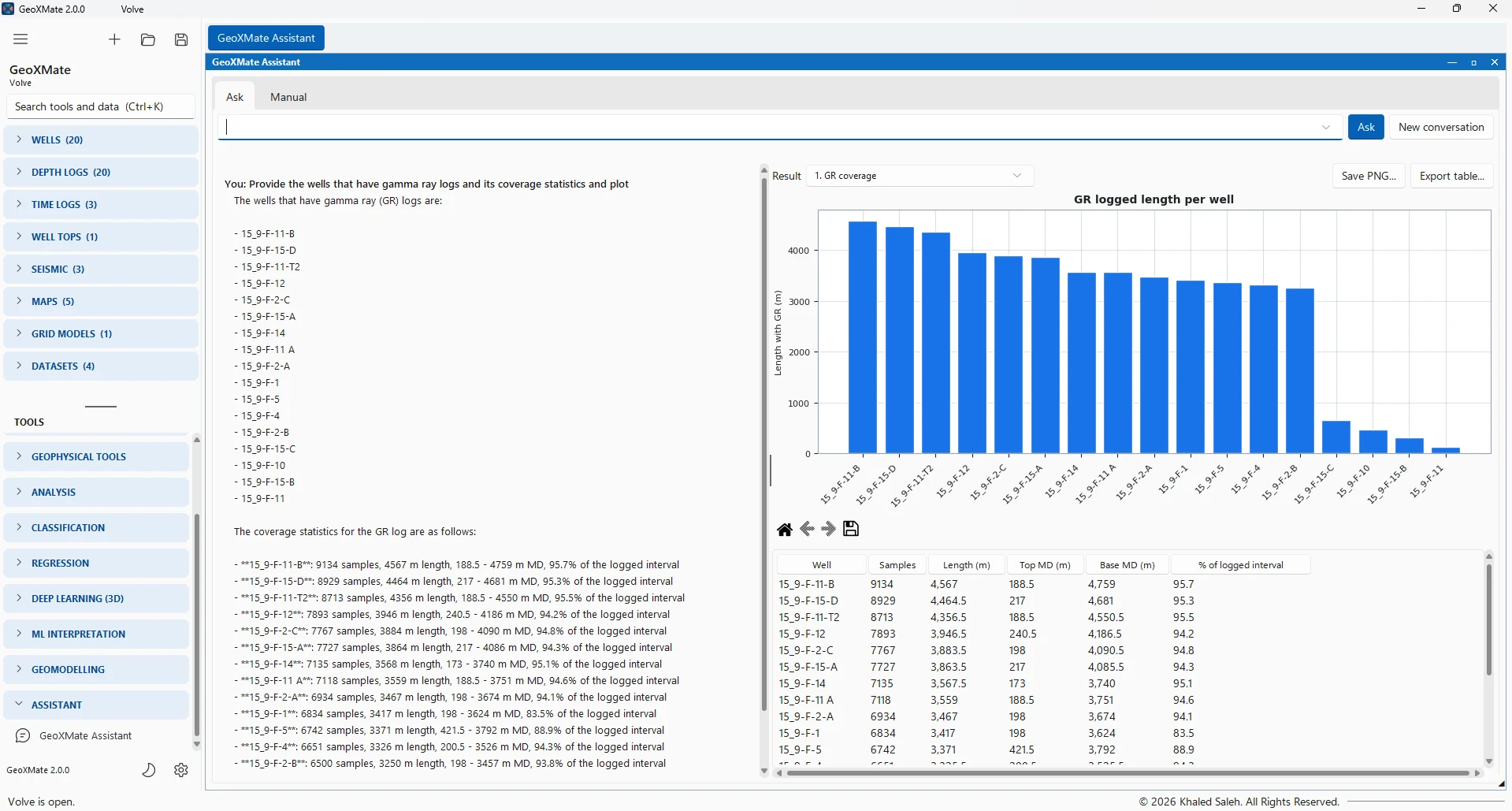
Type a question as you would ask a colleague. The Assistant finds the right wells, logs, zones or models, and returns the answer with the tables and charts it used. Each chart can be saved as a picture and each table exported to CSV or Excel. Follow-up questions such as "And for the next well?" carry on from the last answer.
- How many wells are in the project? Which wells have no deviation survey?
- Which well has the most GR coverage?
- Show a histogram of RHOB per well, or crossplot NPHI against RHOB coloured by well
- Statistics of PHIE per zone, or the tops of the main sequence and the wells that miss a pick
- How good is my last regression model? Which datasets do I have?
- How do I load DLIS files? How do I validate a model on blind wells?
Numbers you can check
The model chooses, GeoXMate computes
A language model can phrase an answer, but it should not be trusted with the arithmetic. In GeoXMate it never is.
- The local AI model only understands the question and chooses what to look up
- Every count, coverage, statistic and score is computed by GeoXMate's own code from the project
- The table behind each answer is always shown, so any number can be checked
- When a name could mean several wells, logs or zones, the Assistant asks which one you mean
- Common names are understood: gamma ray finds GR, density RHOB, neutron NPHI, sonic DT
- The Assistant only reads the project; it never changes it
| What it can look up | Details |
|---|---|
| Project | A summary with the count of everything in the project |
| Wells | Field, class, status, X / Y, KB, TD, surveys, logs and tops; a well map |
| Logs | Which wells have which logs, coverage per well, statistics over all wells, per well or per zone |
| Charts | Histograms, crossplots with the correlation and straight-line fit, correlation matrices, log tracks |
| Tops and zones | Tops tables with zone thicknesses and missing picks |
| Machine learning | Datasets and trained models: algorithm, features, target, test wells, scores, feature importance |
| Seismic and maps | Seismic cubes, horizons, faults and maps |
On your computer
Private by design
Subsurface data is often confidential. The Assistant was built so that it can be used on a project that must stay on the company's own machines.
- A local language model runs on the workstation; no outside AI service is used
- Questions and project data never leave the computer, and no internet connection is needed
- The model loads with the first question and uses about 4 GB of memory while loaded
- On a typical laptop without a graphics card, an answer takes about 5 to 20 seconds
- The model is unloaded when the window closes, or after ten minutes without a question, to give the memory back to seismic and machine-learning work
The manual
Every tool explained, one search away
- How-to questions are answered from GeoXMate's built-in manual
- The manual sections an answer used are listed with it, and open at that section
- The Manual page lists every page and section, with a search over all of them
- When the manual does not cover a question, the Assistant says it does not know
Add-on & licence
An optional add-on, coming soon
The Assistant is a small model running on your computer. It is good at finding the right tool and the right numbers; on general geoscience questions it gives short, general answers and says so. Important answers should be checked against their tables.
- The Assistant is a licence module of its own, with an add-on of about 2.7 GB that will be published soon
- Without the add-on, common questions written with the project's names and plain key words still get the same tables and charts
- The manual can be read and searched with or without the add-on
- It answers in English